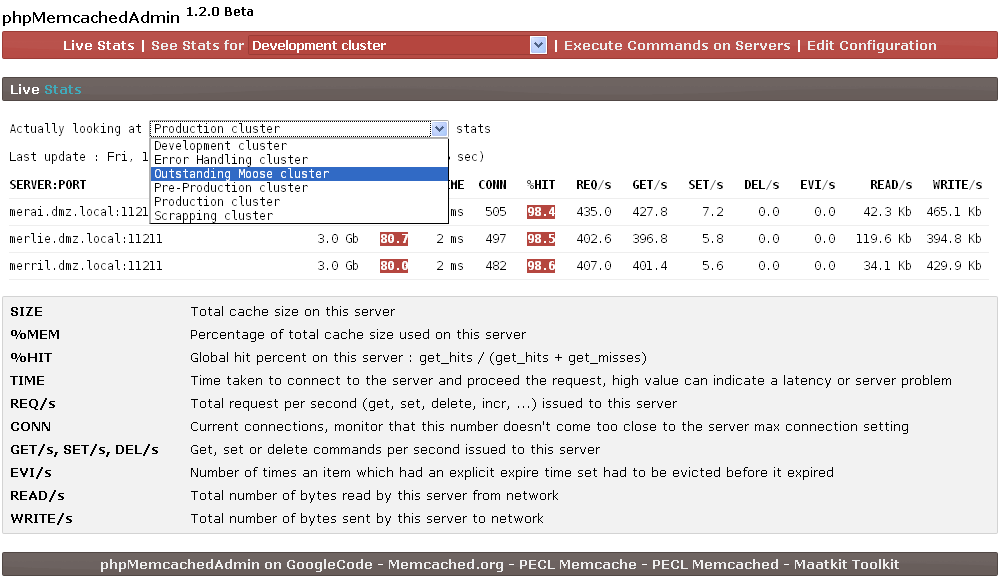
Here a summary of Memcached commands usable in telnet
If you need to install or set up Memcached as a service on Windows, follow this link
Connecting to Memcached server with telnet
telnet <hostname> <port>
In the following \r\n mean you have to type enter in telnet console
If Memcached server send ERROR or CLIENT_ERROR, something is false with the command, if it's SERVER_ERROR, server itself is in trouble
Retrieval Commands
Parameters :
<key> : the key of the data stored to retrieve
<key>* mean you can request value of multiple keys separated by whitespace
These commands return :
VALUE <flag> <bytes>\r\n<data> (see the following for explanation of <bytes> and <flag>)
END indicate the end of response
Get
Get value from key
Telnet command : get <key>*\r\n
get key
VALUE key 0 4
data
END
Gets
Get value from key along with a cas token (to use with cas command)
Telnet command : gets <key>*\r\n
get key
VALUE key 0 4
data
END
Storage Commands
Parameters :
<key> : the key of the data stored
<flags> : 32-bit unsigned integer that the server store with the data (provided by the user), and return along the data when the item is retrieved
<exptime> : expiration time in seconds, 0 mean no delay, if exptime is superior to 30 day, Memcached will use it as a UNIX timestamps for expiration
<bytes> : number of bytes in the data block
<cas unique> : unique 64-bit value of an existing entry (retrieved with gets command) to use with cas command
[noreply] : optional parameter that inform the server to not send the reply
These commands can return :
STORED to indicate success
NOT_STORED indicate that the data was not stored because condition for "add" or "replace" command wasn't met, or the item is in a delete queue
EXISTS indicate that the item you are trying to store with "cas" command has been modified since last fetch
NOT_FOUND indicate that the item did not exist or has been deleted
Set
Store key/value pair in Memcached
Telnet command : set <key> <flags> <exptime> <bytes> [noreply]\r\n<value>\r\n
set key 0 900 4
data
STORED
Add
Store key/value pair in Memcached, but only if the server doesn't already hold data for this key
Telnet command : add <key> <flags> <exptime> <bytes> [noreply]\r\n<value>\r\n
add key 0 900 2
10
STORED
Replace
Store key/value pair in Memcached, but only if the server already hold data for this key
Telnet command : replace <key> <flags> <exptime> <bytes> [noreply]\r\n<value>\r\n
replace key 0 900 2
10
STORED
Append
Add value to an existing key after existing data
Append does not take <flags> or <exptime> parameters but you must provide them !
Telnet command : append <key> <flags> <exptime> <bytes> [noreply]\r\n<value>\r\n
append key 0 900 2
10
STORED
Prepend
Add value to an existing key before existing data
Prepend does not take <flags> or <exptime> parameters but you must provide them !
Telnet command : prepend <key> <flags> <exptime> <bytes> [noreply]\r\n<value>\r\n
prepend key 0 900 2
10
STORED
Cas
Store data only if no one else has updated since the last fetch, determined with the cas tokem from gets command
Telnet command : cas <key> <flags> <exptime> <bytes> <cas unique> [noreply]\r\n
cas key 0 900 2 <cas unique>
10
STORED
Delete Command
Parameters :
<key> : the key to delete
[<time>] : optional time in second before real deletion of item
[noreply] : optional parameter that inform the server to not send the reply
These command can return :
DELETED to indicate success
NOT_FOUND indicate that the item did not exist or has been deleted
Delete
Store key/value pair in Memcached
Telnet command : delete <key> [<time>] [noreply]\r\n
delete key
DELETED
Increment/Decrement Commands
Parameters :
<key> : the key to delete
<value> : the amount to increase/decrease the item.
[noreply] : optional parameter that inform the server to not send the reply
These command can return :
NOT_FOUND indicate that the item did not exist or has been deleted
<value> increment and decrement return the result
Increment
Increment value associated with key in Memcached, item must exist, increment command will not create it
The limit of increment is the 64 bit mark
Telnet command : incr <key> <value> [noreply]\r\n
incr key 12
56
Decrement
Decrement value associated with key in Memcached, item must exist, decrement command will not create it
If you try to decrement a value bellow 0, value will stay at 0
Telnet command : decr <key> <value> [noreply]\r\n
decr key 12
44
Touch Command
Parameters :
<key> : the key to delete
<exptime> : is expiration time. Works the same as with the update commands (set/add/etc). This replaces the existing expiration time.
[noreply] : optional parameter that inform the server to not send the reply
These command can return :
NOT_FOUND indicate that the item did not exist or has been deleted
TOUCHED to indicate success
Touch
The "touch" command is used to update the expiration time of an existing item without fetching it.
Telnet command : touch <key> <exptime> [noreply]\r\n
touch key 1800
TOUCHED
Statistics Commands
Parameters :
<args> : argument to stats command
These command can return various stats that we will explain in the following
Basic stats
Return general-purpose statistics like uptime, version, memory occupation, ...
Telnet command : stats\r\n
stats
STAT pid 106796
STAT uptime 5696
STAT time 1274397461
STAT version 1.4.5
STAT pointer_size 32
...
STAT total_items 344512124
STAT evictions 0
END
Items stats
Return items statistics, will display items statistics (count, age, eviction, ...) organized by slabs ID
Telnet command : stats items\r\n
stats
STAT items:1:number 1125
STAT items:1:age 426
STAT items:1:evicted 0
STAT items:1:evicted_nonzero 0
STAT items:1:evicted_time 0
STAT items:1:outofmemory 0
STAT items:1:tailrepairs 0
...
STAT items:42:tailrepairs 0
END
Slabs stats
Return slabs statistics, will display slabs statistics (size, memory usage, commands count, ...) organized by slabs ID
Telnet command : stats slabs\r\n
stats
STAT 1:chunk_size 80
STAT 1:chunks_per_page 13107
STAT 1:total_pages 1
STAT 1:total_chunks 13107
STAT 1:used_chunks 1125
...
STAT active_slabs 25
STAT total_malloced 10485600
END
Misc Commands
Flush_all
Flush the server key/value pair (invalidating them) after a optional [<time>] period
It always return OK
Telnet command : flush_all [<time>] [noreply]\r\n
flush_all 10
OK
Version
Return the Memcached server version
Telnet command : version\r\n
version
VERSION 1.4.5
Verbosity
Change the verbosity ouptut of Memcached server
It always return OK
Telnet command : verbosity <level> [noreply]\r\n
verbosity 2
OK
Quit
Server close connection when receiving this command
Telnet command : quit\r\n
quit
For any advanced need Memcached text protocol can be found here about Protocol
Other Memcached Resources
You can find a lot of Memcached resources on this Memcached resources page.